
A photography website needs a clear purpose, a carefully edited portfolio, straightforward navigation, accessible images and controls, and a reliable way to enquire or buy. Start with those essentials before adding animation, elaborate transitions or every photograph you have made. A visitor should quickly understand what you photograph, where you work when location matters, and what to do next. A successful design serves the intended audience rather than imitating a fashionable template. The examples below are hypothetical design and planning exercises, not measured performance results or promises of increased bookings.
011. Choose the primary visitor journey
Decide whether the main task is requesting a commission, reviewing an artistic practice, licensing an image or buying a print. A site can support several tasks, but one should lead the structure.
Write a journey in plain language: discover relevant work, understand the service, confirm suitability, then enquire. Identify the information needed at each stage.
A portrait client might need location and session expectations; an editor might need subject coverage and contact details. Do not force every visitor through an autobiographical introduction before allowing them to see relevant photographs.
022. Use a small, predictable navigation system
Choose familiar labels such as Work, Services, About and Contact. Add a shop only if there is a functioning purchasing route and a maintained product offer.
Organise galleries by meaningful client need or coherent project, not by camera model or arbitrary upload date. On small screens, ensure the menu is easy to find and close, and that links remain usable without hover.
Give every important page a clear route back to the main structure. Avoid trapping visitors in full-screen galleries with hidden controls, especially when they arrived through a direct project link.
033. Edit portfolios for relevance and sequence
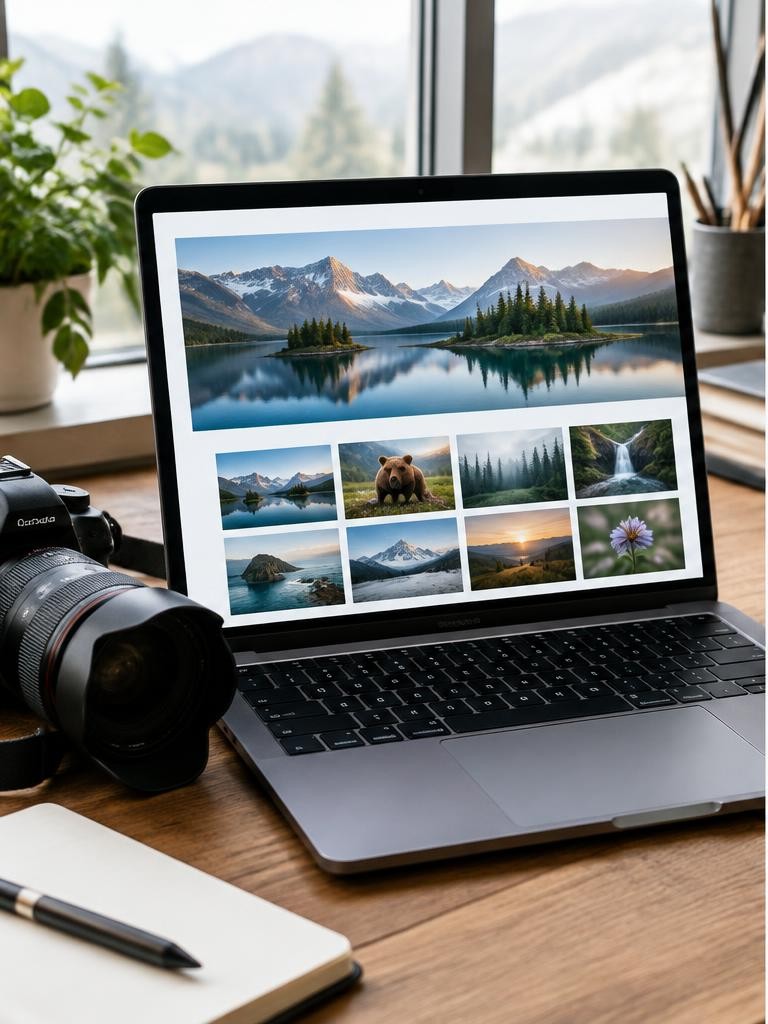
Select photographs that demonstrate the work you want to be considered for. Remove weaker images even if they document a memorable shoot.
Begin and end a project deliberately, and use captions when context matters. Separate personal and commissioned work where that distinction helps the audience, while keeping both reachable.
Make your role clear on collaborations. If an image shows speculative work, do not imply a real client commission.
Review galleries on a narrow screen: a sequence designed only for a large desktop monitor may become repetitive or confusing when displayed vertically.
044. Give images appropriate text alternatives
W3C’s image guidance distinguishes informative, decorative and functional images. Informative photographs need text alternatives conveying relevant information; purely decorative images generally use an empty alternative, while image links should communicate their function.
The correct wording depends on the image’s purpose, not a universal caption formula.
For a portfolio portrait, describe useful visible content concisely rather than stuffing keywords into the alternative text. Put extended project interpretation in nearby page text.
Where a photograph is already fully described in context, consider how to avoid making a screen-reader user hear redundant information.
055. Make controls work without a mouse
Visitors should be able to reach navigation, gallery controls and enquiry actions using a keyboard. Keep a visible focus indicator and a sensible reading and tab order.
Buttons need clear names, and a lightbox needs an obvious way to close it. Do not make essential information available only through hovering or dragging.
Avoid automatically advancing slides that interrupt reading or prevent someone from examining an image. Where motion is used, respect reduced-motion preferences and provide suitable control.
Include manual accessibility checks because a visually polished page can still be difficult or impossible to operate.
066. Deliver suitable images, not oversized originals
Keep production masters separate from web exports. Supply appropriately sized responsive images so a small screen need not download the largest available file.
Use efficient formats where supported and keep a compatible delivery strategy. Reserve image space in the layout to reduce distracting shifts, and consider deferred loading for images below the initial view rather than delaying the main visible photograph indiscriminately.
Preserve enough quality for the work to communicate well. Inspect gradients, fine detail and skin tones after compression; a single export setting is unlikely to suit every image equally.
Worked example
077. Estimate page weight with a simple example
Suppose a hypothetical gallery initially loads twenty photographs averaging 500 kilobytes each. The image total is approximately 10,000 kilobytes, or about 10 megabytes using decimal units, before scripts, fonts and other assets.
Reducing the initial set to eight similarly sized images reduces that initial image transfer to about 4 megabytes. This calculation is not a measured loading time: caching, device capability and network conditions also matter.
Use it to identify avoidable transfer, then inspect the actual implementation on real devices and constrained connections rather than claiming an unsupported speed improvement.
08Illustrative scenario: a portrait enquiry journey
A fictional photographer’s home page opens with a large rotating gallery but never states the working region. A visitor must inspect several pages to discover whether the photographer accepts portrait commissions.
The redesign replaces the rotation with a selected image, a concise service statement and a direct link to portrait work. The contact page adds an accessible form and a visible email alternative.
No booking increase is claimed. The scenario illustrates a simpler journey in which the visitor can judge relevance and take action without guessing what the business offers.
098. Build a short, labelled enquiry form
Ask only for information needed to respond: a name, a contact route and a useful description of the request may be enough initially. Add dates or location only where relevant.
W3C recommends properly associated labels so form controls can be identified, including by assistive technologies; placeholder text alone is not an adequate replacement for a persistent label.
Explain required fields, provide understandable errors and confirm successful submission. Include an alternative contact method.
Test where messages arrive and how failures are handled rather than assuming the form works because it looks complete.
109. Establish trust without inventing authority
Write a concise biography explaining your practice, services and relevant background. Use genuine testimonials only with appropriate permission, and identify speculative projects honestly.
Explain the scope of an enquiry process without promising availability you cannot maintain. If selling products, show essential dimensions, fulfilment information and applicable policies before checkout.
If using logos, client names or awards, verify the right to display them and describe the relationship accurately. Avoid vague superlatives that do not help a visitor decide whether your work fits.
A dependable contact route is more useful than an unsupported claim of industry leadership.
1110. Plan discoverability and data handling
Give pages descriptive titles, readable headings and text that explains the actual work. Use meaningful link labels and stable project addresses.
Provide relevant location information naturally rather than repeating place names mechanically. Keep private client galleries separate from public portfolio pages and use suitable access controls for sensitive material.
Explain relevant personal-data collection and third-party services in policies appropriate to your jurisdiction. Analytics and marketing tools create additional decisions about consent and retention; do not add them automatically.
Search visibility, privacy compliance and security depend on implementation, not merely installing a plugin.
1211. Maintain ownership and operational reliability
Know who controls the domain, hosting account, website credentials and renewal notices. Keep recoverable copies of text, images and essential configuration, and understand the platform’s export limits.
Use secure account practices and maintain software where that responsibility falls to you. Check links and contact delivery after changes.
Remove obsolete availability statements and update working-region information when it changes. Maintain a content inventory so old project pages do not silently contradict current services.
A website is an ongoing communication system; the launch date is the beginning of maintenance rather than the end of the work.
FAQ
13Troubleshooting, FAQ and launch exercise
If visitors cannot find relevant work, simplify gallery labels before adding more content. If enquiries disappear, check form delivery, spam handling and confirmation behaviour. If a gallery feels slow, inspect image transfer and scripts rather than judging by your own cached connection alone.
Do you need a blog? Only if it serves a clear purpose and can be maintained. Should you disable right-click? It does not reliably prevent copying and can obstruct visitors. Exercise: ask someone unfamiliar with the site to find a relevant project, identify your service area and submit a test enquiry using a keyboard. Record the obstacles and fix them before adding optional features.
Sources & further reading
These references support the technical explanations. Exercises and starting settings are illustrative and should be adapted to your equipment and conditions.
Free resources from LensSuite
Was this guide helpful?