
In photography, a stop is a unit for describing a change in exposure. Increasing exposure by one stop means allowing twice as much light to reach the sensor; decreasing it by one stop means allowing half as much. Two stops up means four times as much light, while two stops down means one quarter as much. Stops make it possible to compare settings that use different units: seconds for shutter speed, f-numbers for aperture, and ISO values for sensitivity. If a photograph is too dark, adding one stop is a clear, repeatable adjustment. If it is too bright, subtracting one stop is equally clear. A stop does not prescribe a particular look or guarantee correct exposure. It describes the size of a change, so the photographer can choose whether that change serves the subject, the available light, and the intended result.
01Why photographers use stops
Camera settings use numbers that do not share a common scale. Shutter speed is a duration, aperture is a ratio, and ISO is a sensitivity rating.
Stops provide a common language for reasoning about their exposure effects. Imagine a portrait that is one stop underexposed.
You could double the shutter duration, open the aperture by one stop, raise ISO by one stop, or combine smaller adjustments. Those choices do not create identical photographs: a slower shutter can blur movement, a wider aperture can reduce depth of field, and a higher ISO can increase visible noise or reduce tonal flexibility.
The stop tells you the magnitude of the exposure change, not its side effects. This distinction is useful when planning: decide first what must remain visually stable, then adjust a control whose consequences are acceptable.
02Stops and the exposure triangle
The familiar exposure triangle joins shutter speed, aperture, and ISO because each affects recorded brightness, though each also influences image characteristics. In a simplified comparison, doubling exposure time adds one stop of light.
Opening the aperture by one full stop also doubles the light passing through the lens. Doubling ISO makes the camera render the signal brighter by one stop, but it does not collect twice as many photons.
A change to one setting can be compensated by a change to another. For instance, moving from 1/250 second to 1/125 second adds one stop; moving from ISO 400 to ISO 200 subtracts one stop.
The combined exposure is approximately unchanged, but motion rendering and noise behavior differ. Actual camera processing and sensor design complicate the simple triangle, yet the model remains a useful field tool.
03Shutter speed: count light in time
Shutter speed determines how long the sensor is exposed, or, in some cameras, how long the electronic readout effectively records the scene. Doubling the duration generally adds one stop: 1/500 second to 1/250 second, or 1/60 second to 1/30 second.
Halving duration removes one stop. The sequence on a camera may include intermediate one-third-stop or half-stop settings, so the displayed values will not always move in exact powers of two.
Longer exposures can show moving water as smooth, a passing person as blurred, or a handheld scene as shaky. Shorter exposures help freeze action but reduce incoming light.
A tripod can help with camera movement, but it cannot freeze a moving subject. For action, shutter speed may be the setting to protect first; for a static landscape, you may have more freedom to use a longer exposure.
04Aperture: count light through the lens
Aperture is expressed as an f-number, such as f/2.8, f/4, or f/8. The smaller the f-number, the wider the opening and the more light reaches the sensor for a given shutter duration.
A full-stop sequence often looks like f/2, f/2.8, f/4, f/5.6, f/8, f/11, and f/16. Moving from f/8 to f/5.6 adds about one stop; moving from f/8 to f/11 removes about one stop.
The numbers seem to run opposite to brightness because each f-number is a ratio: a larger denominator indicates a smaller opening relative to focal length. Aperture also changes depth of field, the range that appears acceptably sharp.
A wide opening can separate a face from a soft background; a smaller opening can keep more of a landscape in focus. Lens construction and focus distance affect the final result.
05ISO: brightness is not the same as captured light
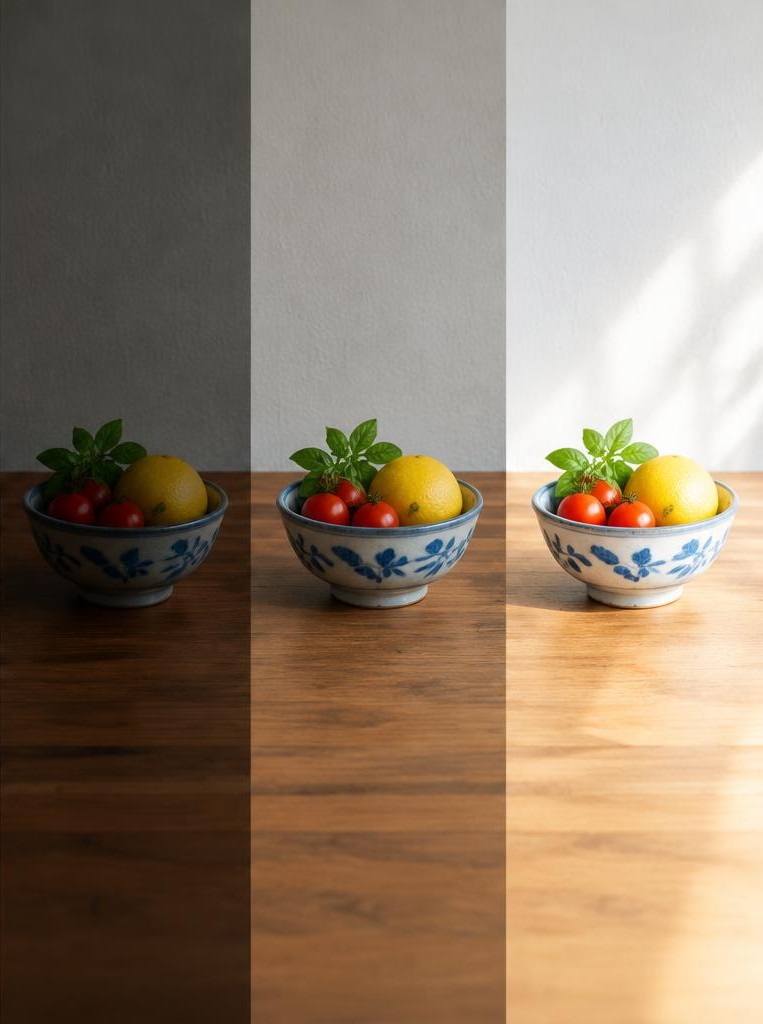
ISO indicates how the camera maps the sensor signal to an image brightness. Raising ISO from 100 to 200 is a one-stop increase in rendered brightness; lowering it from 800 to 400 is a one-stop decrease.
Unlike lengthening a shutter exposure or opening an aperture, changing ISO alone does not make more light fall on the sensor. Higher ISO often makes noise more visible and can reduce highlight headroom, though results differ among cameras and processing methods.
It can still be the right choice when a faster shutter is needed or an aperture is already as wide as desired. A useful practice is to choose shutter and aperture for the photograph, then use the lowest ISO that permits the required exposure—not to treat low ISO as an absolute rule.
Modern cameras can deliver excellent results at settings that older advice called excessive.
06Full stops, half stops, and third stops
A full stop is a factor of two in exposure. Cameras commonly allow smaller increments so photographers can make finer adjustments.
A one-third-stop change is approximately a factor of 1.26, and three such changes add up to roughly one stop. A half stop is approximately a factor of 1.41; two half-stop changes make one stop.
This is why a shutter-speed dial may show a progression such as 1/250, 1/200, 1/160, 1/125. The numbers are rounded for display, but the exposure steps are approximately equal.
Aperture and ISO dials may use the same increments. If you are comparing two settings, count the clicks only after checking whether the camera is configured for thirds or halves.
A one-click change is not automatically a full stop. For deliberate experimentation, record actual values as well as your stop estimate.
07Equivalent exposures are not identical photographs
An equivalent exposure is a combination of settings that produces similar overall brightness. Suppose a meter recommends 1/125 second at f/8 and ISO 200.
If you open the aperture one stop to f/5.6, you can shorten the exposure one stop to 1/250 second and retain approximately the same brightness. This exchange changes depth of field and motion rendering.
A second example: raising ISO from 200 to 400 adds one stop of rendered brightness, so you could shorten the shutter by one stop to keep brightness similar. That can help freeze a runner, but the higher ISO may make noise more apparent.
Equivalence is a planning method, not a promise that images will match in every technical respect. Lens transmission, image stabilization, rolling-shutter behavior, noise reduction, and camera metering can all affect the result.
08Meter readings and exposure compensation
A camera meter estimates exposure based on its metering pattern and assumptions about the scene. It does not know whether a white snowfield should remain bright or a black coat should remain dark.
Exposure compensation tells an automatic or semiautomatic camera to render brighter or darker than the meter's recommendation. A setting of +1 EV asks for roughly one stop more exposure; −1 EV asks for roughly one stop less.
On many cameras, compensation affects shutter, aperture, or ISO depending on the selected mode and Auto ISO settings. A snowy scene may need positive compensation to keep snow from becoming gray, while a dark stage may need negative compensation to preserve the dramatic darkness.
Check the histogram and highlight warning, and review the important areas rather than chasing a universal compensation number.
Worked example
09A worked numerical example
Imagine photographing a friend indoors at 1/60 second, f/4, ISO 800. The face is too dark, but you want to keep 1/60 second because the person is moving slightly and you do not want more blur.
Opening from f/4 to f/2.8 adds one stop, provided the lens supports that aperture. The exposure becomes brighter while depth of field becomes shallower.
If the lens cannot open farther, raising ISO from 800 to 1600 adds one stop of rendered brightness, with possible noise trade-offs. If the subject is still, you might instead slow the shutter from 1/60 to 1/30 second, adding one stop but increasing movement risk.
Test one option, inspect the face and highlights, and decide which side effect is least harmful. A second stop would double light again, so make changes deliberately.
10Hypothetical field story: a runner at dusk
Consider a hypothetical photographer following a runner at dusk. The meter suggests 1/250 second, f/4, ISO 1600, but the runner's hands still blur.
The photographer decides that motion matters more than low noise and changes the shutter to 1/500 second, reducing exposure by one stop. To compensate, ISO rises from 1600 to 3200, adding one stop of rendered brightness.
The frame remains close to the meter's original brightness while the faster shutter reduces subject blur. The result may show more noise, and it may not freeze every stride, but the trade-off directly serves the story.
If the photographer had instead opened from f/4 to f/2.8, exposure would also increase by a stop, but focus would become more demanding. The stop calculation helps predict brightness; a test frame determines whether the visual consequences work.
Troubleshooting
11Common misconceptions and mistakes
A stop is not a fixed number of seconds, f-numbers, or ISO points; its numeric change depends on the control. One stop at ISO 100 is 200, while one stop at 1/30 second is 1/15 second and one stop at f/8 is approximately f/5.6.
Increasing ISO does not literally double the light captured by the sensor. A brighter image is not automatically better exposed: highlights may clip, shadows may lose detail, and the mood may be wrong.
Nor does a correct histogram mean that every subject should be middle gray. Camera meters can be fooled by snow, backlighting, stage lights, and large dark areas.
Finally, changing several controls at once makes it harder to learn what caused the result. Change one variable, note the stop, and review both brightness and image character.
FAQ
12Learning exercise and FAQ
Exercise: photograph a stationary subject in steady light. Set a starting exposure, then make a sequence by changing shutter speed one stop at a time while compensating with aperture or ISO to keep the displayed brightness similar. Compare motion, depth of field, and noise. Then return to the starting settings and deliberately add one stop without compensation. Ask which highlights or shadows change. FAQ: Is a stop always a doubling? For exposure, one stop is conventionally a factor of two; displayed values are rounded. Is +1 exposure compensation always correct for snow? No; it is a starting adjustment, and the scene and metering mode matter. Can I change exposure after taking the picture? RAW files often tolerate more adjustment than heavily processed JPEGs, but clipped highlights and missing shadow information cannot always be recovered. Does a tripod allow a slow shutter? It reduces camera shake, not subject movement.
13Source check and practical takeaway
Use your camera manual to verify how its meter, exposure compensation, Auto ISO, and exposure-lock controls interact; implementations differ. Nikon's D850 reference explains exposure compensation and its relationship to metered exposure, while your own camera may place the controls elsewhere.
The practical takeaway is simple: think in stops to compare changes, then choose the control whose side effects suit the photograph. Protect shutter speed when motion is critical, choose aperture for depth of field, and use ISO to make the exposure workable.
Make a test frame, inspect important highlights and shadows, and adjust in measured increments. Stops are not a substitute for judgment; they are a shared measuring language that makes judgment easier to communicate and repeat.
Sources & further reading
These references support the technical explanations. Exercises and starting settings are illustrative and should be adapted to your equipment and conditions.
Free resources from LensSuite
Was this guide helpful?